Your iPhone's connection, shared.
Tethera enables Personal Hotspot on your iPhone, with Apple's own switch, password and Family Sharing options in Settings.
iOS 15 to 26, rootless. Share over Wi-Fi with a laptop, a tablet or another phone.


Personal Hotspot, as Apple made it.
Nothing new to learn: the hotspot is the one in Settings. Tethera adds a few things around it.
The hotspot in Settings
Personal Hotspot in Settings, with Apple's own switch, password and Family Sharing options. Share over Wi-Fi as usual.
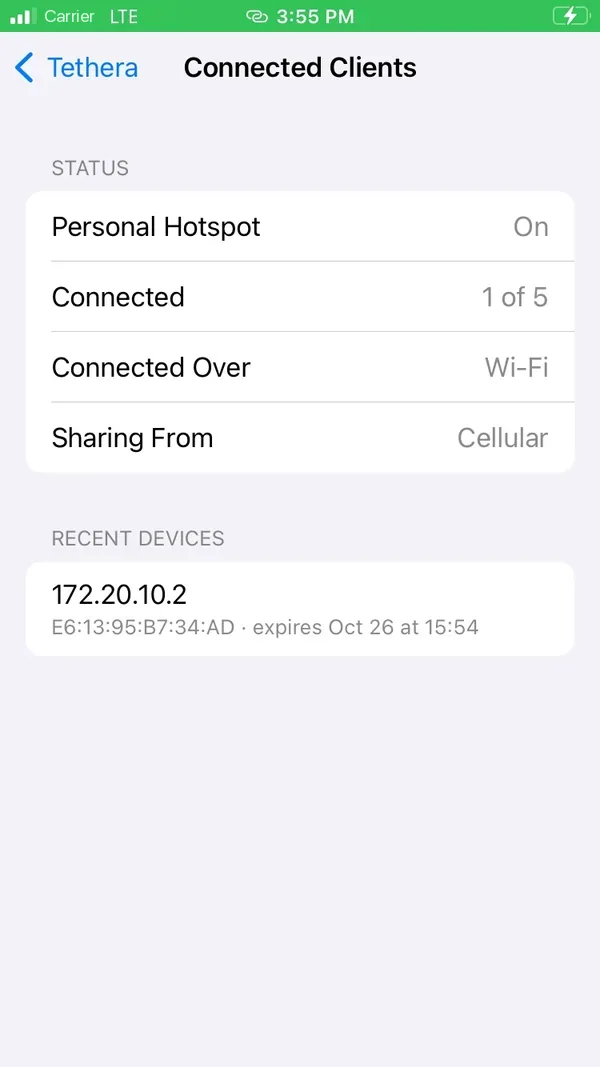
See who's connected
Whether the hotspot is on, how many devices are connected and over what, and the ones that joined recently, live.
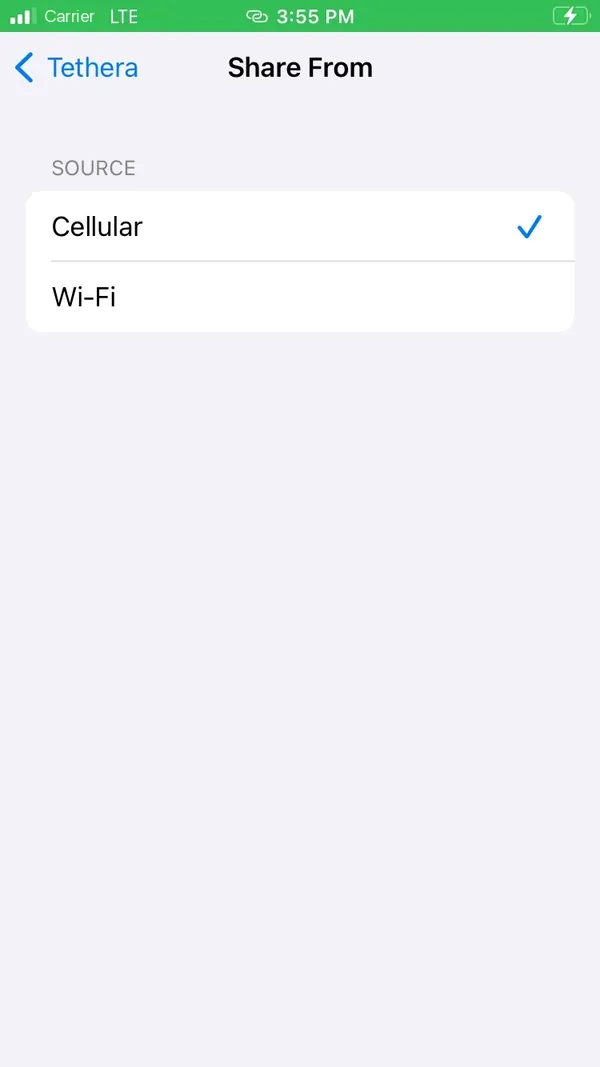
Choose what to share
Your cellular data, the Wi-Fi network your iPhone is on, or a VPN running on the phone.
Safe with a VPN
Sharing a VPN, the hotspot doesn't start while the VPN is down, so nothing leaves unprotected.
Control Center
Turn the hotspot on or off with the Tethera control in Control Center (iOS 15 to 17, with CCSupport).
Off means off
Turn Tethera off and your iPhone behaves exactly as before: the network changes Tethera made are undone.
Right where you'd look for it.
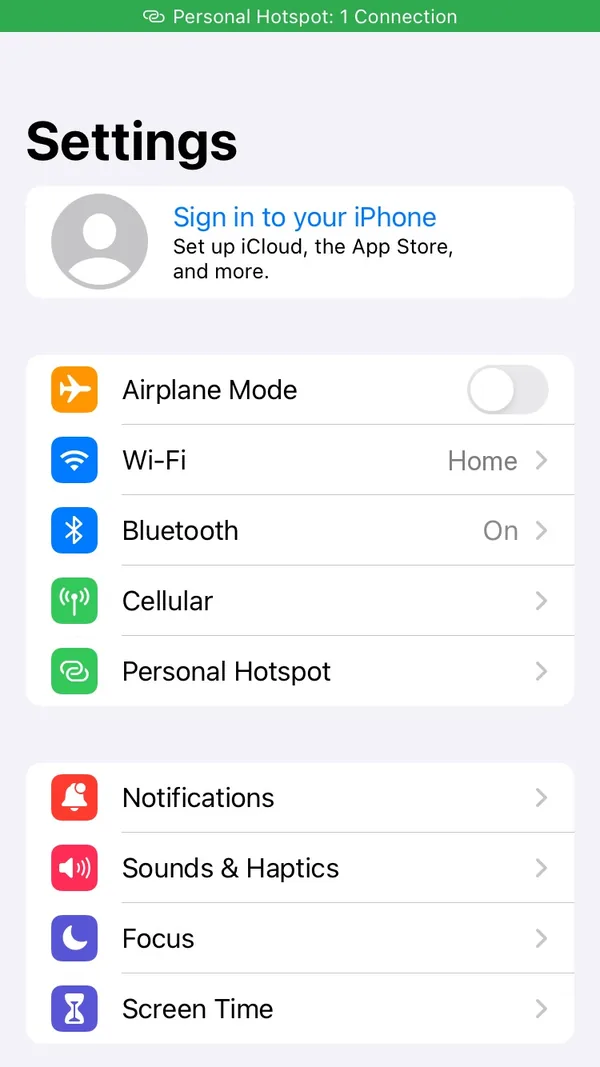
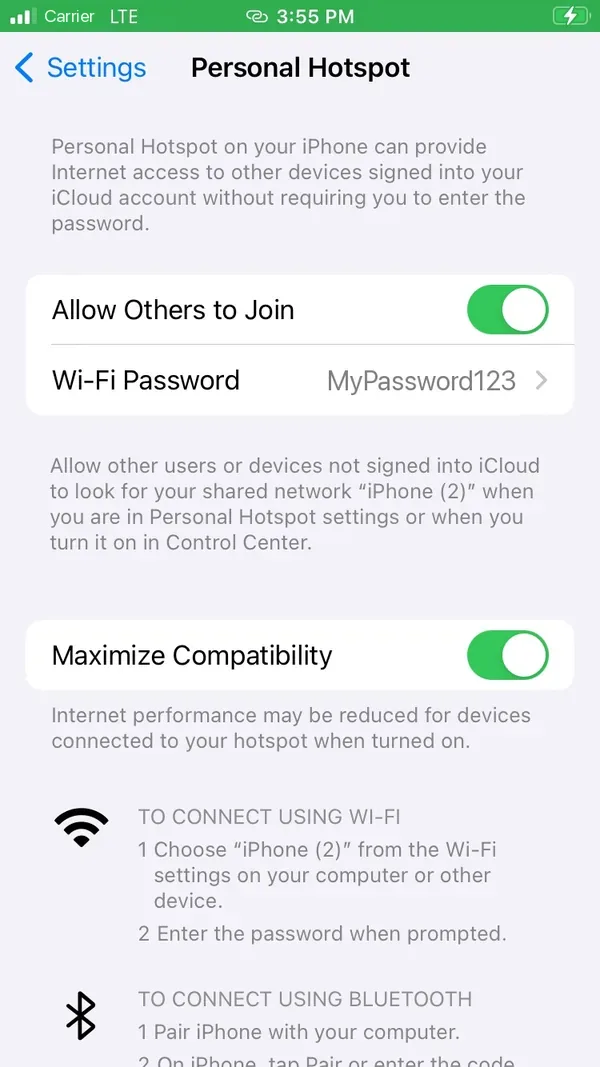
Personal Hotspot is in Settings, under Cellular, the way iOS shows it. Turn on Allow Others to Join and your laptop sees your iPhone's network.
- Apple's own Allow Others to Join switch
- Your Wi-Fi password, and Maximize Compatibility for older devices
- Family Sharing, as iOS has it
Who's on, at a glance.
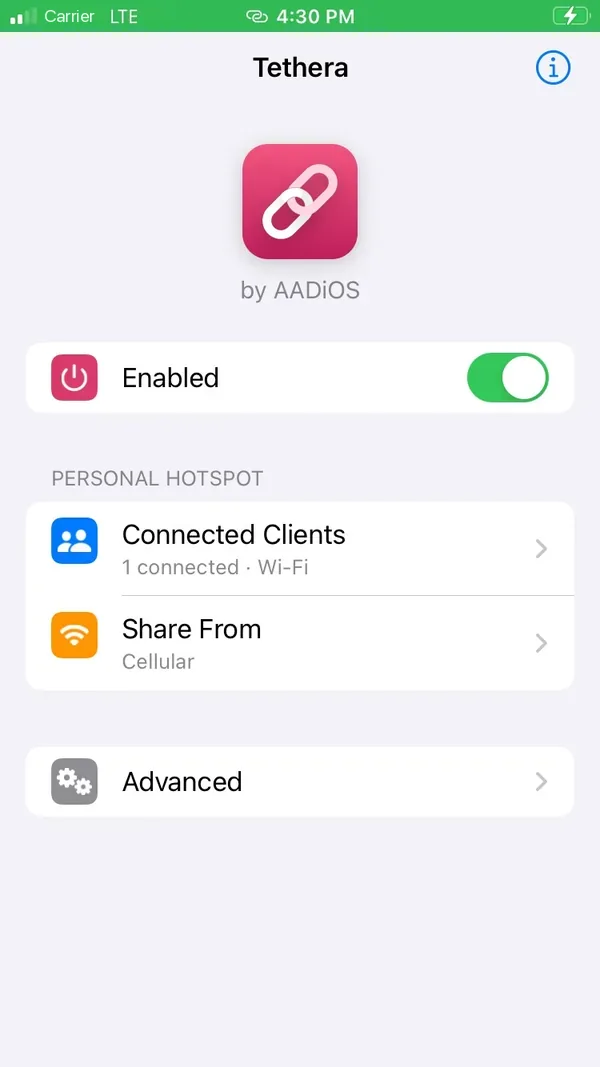
Tethera's page shows the hotspot as it is right now, and updates as devices come and go.
- On or off, and how many devices are connected
- What they're connected over
- What you're sharing from
- The devices that joined recently, with the address each got


Share what your iPhone is on.
Pick where the hotspot's connection comes from. Cellular data is the default.
Your cellular data, as Personal Hotspot always shares it. The default.

Quiet when you're not sharing.
Tethera does its work when the hotspot changes, and keeps out of the way the rest of the time.
Light on battery
Nothing of Tethera's runs in SpringBoard but the optional Control Center control. A small background service works when the hotspot changes and rests otherwise.
Nothing recorded
Your traffic and the devices on your hotspot are never recorded or sent anywhere. The device list is read live from iOS.
Support on your terms
Copy Report on the About page puts what's needed for support on your clipboard. Nothing is sent unless you paste it somewhere.
Good to know
Tethera doesn't give you free or extra data, and your carrier's terms still apply: your carrier can see, count and charge for hotspot use.
Light, dark, at home in both.
Tethera follows your iPhone's look, in Settings and in its own app on your Home Screen.
Questions
What does Tethera do?
It enables Personal Hotspot on your iPhone, with Apple's own switch, password and Family Sharing options in Settings. It adds a page that shows who's connected, a choice of what to share, and a Control Center control on iOS 15 to 17.
Does it give me free or extra data?
No. Your carrier's terms still apply: your carrier can see, count and charge for hotspot use, as with any hotspot.
What can connect to my hotspot?
Laptops, tablets, other phones and anything else that joins a Wi-Fi network. Sharing is over Wi-Fi only: USB and Bluetooth sharing aren't supported. Turn on Maximize Compatibility for older devices that only see 2.4 GHz networks.
Can I share a VPN?
Yes. Choose VPN in Share From and connect your VPN on the iPhone. While the VPN is down, the hotspot doesn't start, so nothing leaves unprotected.
Where are its settings?
Tethera is on your Home Screen, and in the Settings app up to iOS 17.
What happens when I turn Tethera off?
Your iPhone behaves exactly as before: a hotspot Tethera started ends, and the network changes it made are undone.
Which iPhones and jailbreaks does it work on?
iOS 15 to 26 on rootless jailbreaks such as Dopamine and palera1n. Results vary by iPhone, iOS version and carrier.
Does it slow my iPhone down or use battery?
No. Nothing runs on a timer while the hotspot is off: a small background service does its work when the hotspot changes and rests the rest of the time.
Switch it on. Share it.
Coming soon to Havoc. Questions, ideas or a bug to report? Write to us.